In an era where most organizations are moving their IT services to the cloud, printing is no exception. Cloud printing – that is, managing print infrastructure through cloud-based services rather than on-site servers – is rapidly gaining traction across every industry.

Analysts from Quocirca, IDC, Keypoint Intelligence, Forrester, Gartner and more all note a strong shift toward cloud-managed print services as companies seek to reduce cost, increase agility, and support hybrid work environments. Major print providers including Lexmark, Xerox, HP and Ricoh along with software vendors like PaperCut, Kofax and PrinterLogic now offer cloud print solutions, making it an increasingly mainstream, cost-efficient option.

This report examines what cloud printing is, its key benefits and features, how it stacks up against traditional printing, and – most important – why so many organizations are adopting it.

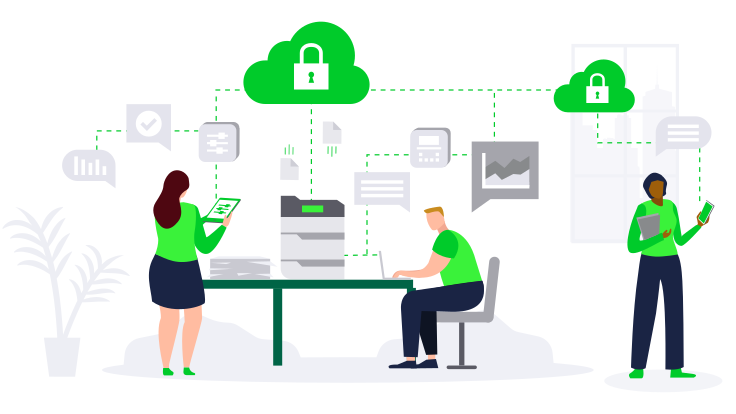
Lexmark Cloud Services illustration Elevate secure, flexible cloud connection for your print management with Lexmark Cloud Services.

What is cloud-based printing?

Cloud-based printing is a modern print architecture where print jobs, queues and management are handled through cloud services rather than local, on-premises print servers.

In a cloud print setup, users send documents to a secure cloud print queue over the internet; the cloud system then routes each job to the appropriate network printer for release. Because the processing and administration live in the cloud, IT administrators can centrally manage printers for an entire organization via a web dashboard without maintaining dedicated print servers at each site. 

This approach frees users and IT from the hassles of traditional printing. Cloud printing has transformed the professional print space, giving extra flexibility and choice to users and IT professionals where before this choice was not possible. In practical terms, cloud printing means employees can print from anywhere – office, home, or on the road – using any device, while the organization’s data stays secure and the print environment is centrally controlled. Think of it as cloud printing—the equivalent of cloud email or storage: accessible from anywhere, always current, and not bound to a single physical server.

Leading cloud print platforms are typically offered by print vendors (for example, Lexmark Cloud Print Management, Xerox Workplace Cloud and HP Advance) and independent providers like PaperCut Hive, Kofax/Printix and PrinterLogic. Many of these solutions use a software-as-a-service model, hosting the print management in the vendor’s cloud. Some are hybrid, allowing sensitive jobs or spooling to remain on a local network edge while using cloud analytics and configuration. The common theme here is that heavy lifting tasks (queuing jobs, authenticating users and managing drivers) are handled in the cloud.

According to a recent Quocirca Cloud Print Services study, 69% of organizations are already using a cloud print management solution and 18% believe that their print environment will be fully in the cloud by 2026. This means by any measure, cloud printing is here to stay. 

Did You Know?
Cloud printing allows employees to print documents from any device, anywhere in the world.

icon

Did You Know?
Cloud printing solutions often come with enhanced security features, such as encryption and secure release printing.

icon

Did You Know?
By using cloud printing, businesses can easily scale their printing infrastructure without the need for additional hardware.

icon

Did You Know?
Cloud printing can integrate seamlessly with other cloud-based applications, improving overall workflow efficiency.

icon

Why consider cloud printing?

Cloud printing offers a host of advantages over traditional print setups. It addresses many typical pain points of enterprise printing (like security gaps, high support costs, and difficulty printing outside the office) while adding new, advanced capabilities.

Below are a few key benefits of cloud printing for businesses:

1. Enhanced security and document confidentiality: Historically, traditional office printers and print servers have been points of vulnerability, as printing can be a security blind spot. According to the research firm Quocirca, 67% of IT decision makers reported experiencing at least one print-related data breach in the past year, an increase from 61% the year prior. Cloud printing solutions are designed with security in mind to close these gaps. They enable secure print release, where jobs are held in the cloud until the user authenticates at the device to release. This ensures that sensitive documents don't pile up in output trays unattended, and all data traveling to printers can be encrypted in transit and at rest. In fact, many cloud print services align with zero-trust security models, treating every print job and device with strict authentication and authorization checks.

By eliminating on-premises print servers, organizations can also reduce the attack surface on their network. Aging or unpatched print servers can pose a risk; moving to a cloud service means security updates and patches are handled by the provider’s hardened data center environment. Cloud solutions allow IT administrators to share printers across their enterprise, adding key functionality such as security groups for printer access and location-based printer discovery while providing a secure way to support the hybrid workplace. In other words, they often have built-in features to ensure only authorized users can print to certain devices or see certain jobs, greatly enhancing compliance for confidentiality, particularly in industries like government, healthcare or finance.

It’s no surprise that security is both a top driver and a top concern for cloud print adoption. Quocirca has found that while many firms move to cloud print for better security, about 43% of IT decision-makers initially cite security concerns as a barrier to adoption. The reality, however, is that leading cloud print platforms are usually more secure than DIY on-premises setups, thanks to enterprise-grade encryption, regular security audits, and compliance certifications provided by vendors.

Overall, cloud printing can significantly strengthen print security, turning a former weak link into a well-guarded part of the IT infrastructure.

2. Cost savings and lower IT overhead: Maintaining a traditional print infrastructure is costly. There are print servers, software licenses and maintenance contracts to buy and refresh, along with ongoing IT labor to manage drivers, troubleshoot queue issues, and support users. Cloud printing converts much of that into a predictable operational expense (in subscription models) and often reduces the total cost. For example, Xerox notes that enterprises can achieve significant cost reductions on print server management by moving to a multi-tenant cloud print service, benefiting from simplified administration and more efficient resource use. In this model, instead of buying and powering servers, companies pay for a cloud service that scales as needed.

In addition, cloud print can significantly reduce waste and consumables costs. With secure print release and more efficient monitoring, print jobs that have been forgotten about or thrown away are avoided. Lexmark’s own implementation of Cloud Print Management resulted in a 48% reduction of pages printed, as well as a 54% reduction in total print spend and a 77% drop in supplies usage. The company also found that implementing cloud print with user authentication led to significantly fewer pages being printed since users only release what they actually need.

Fewer pages and intelligent rules like default duplex or no-cover-page policies enforced via cloud translate to measurable savings on paper and toner. In one case, Lexmark’s own adoption of cloud print management reduced total print spend by 54% with a 48% reduction in pages printed, and supplies usage lowered by 77% as the company eliminated redundant printing and devices across 120 locations. The ability to centrally analyze and optimize print usage has proven to be a big cost saver, with cloud dashboards showing which departments print the most, how many print jobs are color versus mono, and other metrics that enable data-driven optimization.

IT staffing and support costs can also be reduced with a cloud solution. Instead of staff or contractors maintaining print servers and traveling for print issues, a cloud service often comes with remote support and a simplified environment. Routine tasks like driver updates are handled universally in the cloud as many solutions use a universal print driver or driverless printing. This frees IT administrators from managing print drivers on individual PCs or juggling different print queue configurations. In smaller businesses that lack dedicated print specialists, cloud printing is a way to outsource print management to experts so that internal IT teams can focus on core business needs. In fact, the 2024 Quocirca Cloud Print Services Market Landscape Report noted that organizations using a managed print service (MPS) provider for cloud print were significantly more satisfied with the outcome than those going it alone, as leveraging a provider’s expertise ensures that cost benefits are fully realized across the enterprise.

Finally, there are infrastructure and energy costs savings associated with a cloud solution, as fewer servers mean less physical space and power usage. Removing dozens of servers can save thousands of dollars in electricity and cooling per year to help support an organization’s sustainability goals. Cloud printing can quickly transform a capital-intensive, maintenance-heavy operation into a leaner, pay-as-you-go service model, which is appealing to IT staff and CFOs alike.

3. Scalability and flexibility: Traditional print environments often struggle to scale or adapt quickly. Opening a new branch office, for instance, might require procuring a server, configuring it, installing print queues and more, all of which can take weeks if not months. With cloud print, scaling is much simpler: Organizations can add a new printer or location via the online portal so it’s immediately available to users. Cloud printing is inherently flexible and scalable – it can support one office or hundreds around the globe with equal ease, ensuring maximum scalability. This is invaluable for companies that are growing or those with fluctuating needs.

During mergers or acquisitions, integrating disparate print systems is much easier if both sides can just join the same cloud service. Seasonal businesses can scale their print capacity up or down without significant investments. Because there’s no complex on-premises setup, deployment is faster as well. Administrators can onboard new printers by simply connecting them to the internet and registering them with the cloud service, often through a code or agent software. Updates to firmware or adding new capabilities roll out from the cloud to all devices at once, enabling rapid adoption of improvements.

Enterprises that have mixed printer brands can often manage all of them through one cloud platform, whereas traditionally they might need separate print servers or tools for different brands. In fact, the ability to manage a multi-vendor fleet from one place is a key advantage to adopting cloud print. It allows organizations to choose printers based on needs and price, not compatibility limitations. Cloud print services support this model by allowing companies to mix cloud management with certain on-site controls for special cases, all under a single umbrella. The bottom line is that cloud printing can grow with each business and adapt to just about any scenario without requiring a re-architecture each time the business needs to scale.

4. Support for remote and hybrid work: The rise of remote and hybrid workforces has been a massive catalyst for cloud printing adoption. In the past, printing remotely from home to an office printer was complicated, often requiring VPN connections, remote desktop into an office PC, or transferring files to an on-site user to print. Cloud printing elegantly solves this: Because print queues are cloud-hosted, a user can hit “Print” from home and have the job held in the cloud. Then, when they visit the office (or even a coworking space or client site with a compatible printer), they can authenticate and release their document securely. Some cloud print services allow direct shipping of print jobs to home printers in a controlled way, or printing at the nearest available printer in a company’s network of offices.

For mobile employees using phones or tablets, cloud printing is a gamechanger. Mobile printing becomes seamless – users can print from their device to the cloud queue and retrieve it at a printer, often without needing any special app if the provider supports standard protocols. Cloud printing offers a simple, intuitive print experience for employees that does not require end-users to modify their devices. It also enhances mobility by connecting numerous digital devices including smartphones, laptops and tablets with printer stations. This means that organizations no longer need on-premises print servers, saving IT administrators time by reducing repetitive, time-consuming tasks. Indeed, cloud printing is built for the hybrid workplace: It unifies the experience across home and office, and ensures that wherever employees are, they can access printing without jumping through technical hoops.

The COVID-19 pandemic really proved this value. Companies that had cloud print in place were able to let staff print necessary documents from home or alternate locations without missing a beat. Those relying on office-bound print servers found this much more difficult. Now, hybrid work is here to stay, and cloud printing is increasingly seen as an enabler of workforce productivity in that model. It gives IT administrators a way to extend corporate printing capabilities and policies to remote workers in a controlled, secure manner. For example, a remote employee can be given access to send print jobs via the cloud to a specific office’s printer for pick-up when they drop in, or even to their home office printer with the job data tracked for compliance. All of this happens under the umbrella of the company’s print management, so things like audit logs, quotas and content security can be enforced uniformly.

In summary, cloud printing makes printing location-agnostic, which is a critical requirement when employees might be distributed across many locations. It improves user experience as printing “just works” wherever they are and reduces the support headaches that have plagued remote printing in the past.

5. Easier management and analytics: From an IT perspective, one of the biggest advantages of cloud printing is the centralized management and visibility it provides. Instead of managing dozens of print servers and hundreds of print queues scattered across a large geographical area, administrators get a single view of their print environment. They can see every printer’s status in real time, deploy settings or new features universally, and remotely configure devices in minutes instead of days. For instance, if a company wants to roll out a new security policy, a cloud print platform lets the IT team push that setting to every device in the fleet with a few clicks, rather than visiting each machine or server.

Automatic updates are another advantage. Firmware updates for printers or client updates can be handled through the cloud service, ensuring everyone is on the latest version without manual intervention. Some cloud print services incorporate predictive maintenance and alerting: They can notify IT if a printer is likely to need repair or is low on toner, thanks to data collected in the cloud. This proactive management minimizes downtime and reduces IT burden.

Cloud printing also delivers powerful analytics and reporting capabilities. All print job information flows through a central cloud so detailed logs can be kept: who printed what, how many pages, color versus mono printing, and more. These analytics help optimize operational costs and give new visibility to an organization’s printing profile. Administrators and finance departments can receive regular reports on print usage by department or project, which in turn can inform cost allocation or identify inefficiencies. In short, cloud print management provides more analytics so administrators can print spend.

Additionally, compliance auditing is greatly improved with cloud printing. For industries required to keep track of document output for privacy or regulatory reasons, a cloud log of all print jobs with user IDs can be invaluable. It becomes much easier to enforce policies like “no printing of confidential records outside business hours” or “guests can only print five pages” when the system is centralized and intelligent. Many services allow setting up these types of rules and alerts that would be difficult to implement otherwise.

Finally, cloud management often means fewer support tickets. Users get a consistent, simple print interface which reduces confusion and delays. If an issue arises with a device, IT teams can typically diagnose it remotely through the cloud console – checking details such as paper shortages or jams – and, when necessary, notify local staff or dispatch a technician to resolve the problem. The combination of centralized control and rich data means running a print environment becomes much more efficient and transparent.

6. Scalability, sustainability and innovation: As discussed earlier, cloud systems are ready to scale without heavy lifting, so administrators can easily support multiple offices or thousands of users. Business continuity is another advantage: If one cloud print server node goes down, the cloud provider typically has redundancies, making print services more resilient than a single on-site server that could fail. Many solutions offer offline printing features as well – for example, caching print jobs locally if the internet is down, then releasing them when connectivity restores so printing doesn’t grind to a halt due to an outage. This gives the best of both worlds: cloud intelligence with local fail-safes.

Environmental sustainability is an important, although often overlooked, benefit. Cloud printing can contribute to green initiatives by reducing hardware and paper waste. Removing on-premises servers lowers energy consumption: For example, Lexmark reported saving significant energy after decommissioning 110 print servers in its own operations. More important, the reduction in unnecessary printing with features like print release and analytics-driven optimizations means less paper waste and reduced ink usage. One leading financial firm saw print volume drop nearly 50% after switching to cloud print, directly translating into fewer trees harvested for paper. When print is needed, cloud systems can encourage duplex (double-sided) printing or suggest digital workflows as alternatives. All of this helps organizations meet sustainability targets and reduce their carbon footprint associated with printing.

7. Advanced functionalities: Cloud platforms deliver new features and innovations more efficiently than ever. Because the service is in the cloud, vendors can roll out improvements like AI-based tools or integration with other cloud apps without customers having to install new software.

Some advanced capabilities made possible by cloud computing include:

  • Language translation for print and scan: Translate documents into dozens of languages on the fly, enabling global businesses, public service agencies and school districts to better serve their constituencies.
  • Automated redaction: Redact and black out sensitive information in documents before they’re printed or shared to support compliance.
  • OCR and digital workflows: Turn scanned paper into searchable PDFs or route documents to cloud storage directly, reducing manual steps.
  • Cloud-based fleet configuration: Remotely apply settings, deploy apps to smart MFPs and initiate firmware updates from the cloud dashboard.
  • Integration with cloud storage: Print directly from Google Drive, SharePoint, Box and more, or tie printing into workflow tools.

These features show how cloud printing is not just about printing; it often is part of a broader cloud document services platform that adds measurable value beyond what traditional print setups provide.
Cloud printing vs. on-premises printing

How exactly does cloud printing stack up against the traditional way? The following table summarizes some key differences between cloud print and traditional print infrastructure:

Aspect

Cloud Printing

Traditional On-Premises Printing

Infrastructure

No physical print servers on-site. Print management lives in the cloud data center of a provider.

Dedicated on-site print servers and possibly print software at each location.

Deployment & Scale

Easily scalable to new users and locations via internet. Minimal setup – mainly just connecting printers to the cloud.

Scaling up means adding servers/hardware and configuring new print servers and queues manually.

Maintenance

Provider handles server maintenance, backups, and updates. IT manages via web portal.

Local IT must maintain servers, apply patches, update drivers on print servers and user PCs.

Updates & Features

New features (security, analytics, etc.) rolled out automatically by cloud provider. Firmware updates can be pushed centrally.

Upgrades require manual installation. New features often need new software versions on each server and device.

Security

Cloud providers offer robust data encryption, secure user authentication (often with badges or SSO), and continuous security monitoring. Pull printing is standard.

Security depends on local configuration. Print servers need regular patching; pull printing or encryption must be set up per server. Risk of uncollected prints exposing data if not managed.

User Experience

Uniform experience anywhere: send jobs to a single cloud queue and release at any printer. Supports native mobile printing and driverless printing.

Different print queues per site; need to install correct drivers. Remote printing is awkward (VPN or email-to-print). Mobile printing often requires extra apps or isn’t available.

Cost Model

Subscription-based (OPEX). Lower upfront costs since no servers; pay for what you use. Predictable monthly fees.

Capital expense (CAPEX) for servers and licenses. Ongoing maintenance costs. Difficult to adjust costs quickly if needs change.

Reliability

High resilience – cloud systems have redundancy across data centers. If one node fails, service continues. Offline mode can buffer jobs during internet outages.

Single points of failure – if a print server crashes or network goes down at a site, printing at that site stops until fixed.

Remote Work

Designed for distributed work. Print from anywhere with internet access; home printers can be integrated securely.

Primarily designed for in-office use. Remote printing requires network workarounds. Home printers are outside the company’s managed environment.

Administrative Control

Centralized control over entire fleet via cloud console. Real-time visibility and aggregated data. Easy to enforce global policies.

Fragmented control – each server or location might be managed separately. Limited big-picture analytics without manual aggregation.

In short, it simplifies and consolidates what has historically been a complex, decentralized service. Traditional printing often demands a lot of hands-on attention and can lag in features like security and mobility. Cloud printing modernizes this by applying the best practices of cloud computing – shared resources, on-demand scalability, and anywhere access – to the print environment. 

It is worth noting that traditional and cloud models can coexist. Many large enterprises adopt a hybrid model: for example, keeping a lightweight print server appliance on-site for fail-safe operation but managing everything through the cloud platform. Or they use cloud for most offices but might keep an on-premises print server for a high-security site. Over time, as comfort with cloud grows, organizations may see pure on-premises print environments fade away, much like we’ve seen with email servers and document storage. 

illustration concept of an enterprise cloud solution A cloud-based suite of services lets you reduce infrastructure requirements for print, simplify device management and provide print solutions that enhance productivity and flexibility.

Technology compatibility and integration

One concern that organizations often have is: “Will a cloud print solution work with all our existing platforms and devices?” The answer from most leading providers is yes – compatibility is a strong suit of modern cloud print services. They are built to plug into the typical software and hardware ecosystem of a business.

  • Device and OS compatibility: Cloud print services support all major operating systems used in businesses. Whether employees are on Windows PCs, Apple macOS, Chrome OS (Chromebooks), or mobile devices (Google Android, Apple iOS), they can use cloud printing. For example, Microsoft’s Universal Print (a cloud print solution part of Windows 10/11 and Microsoft 365) allows Windows devices to print without any local server, and it’s also accessible from Macs or mobiles via apps or standard IPP (Internet Printing Protocol). In short, businesses won’t be locked out because of device type.
  • Networking: Since printing goes over the internet, cloud print can work across locations without any special networking beyond basic internet access. This means if a location is on a different network or workers are using home networks, they all can reach the print service through its cloud endpoint. Typically, printers simply need to connect to the cloud via a secure channel. No VPN complexity is required for end users, which is advantageous for IT administrators and users alike.
  • Cloud storage and applications: Many cloud print solutions integrate with popular productivity and storage platforms like Microsoft 365, Google Workspace, Box, Dropbox, and others. For instance, a user could print a document directly from Microsoft SharePoint or Google Drive via the print service’s interface without downloading it first, because the print service can pull the file from the cloud storage and send it to the printer. Likewise, multi-function printers (MFPs) often have connectors to these services so users can scan documents and save them directly to Microsoft OneDrive or Google Drive, or even print something from those services at the device panel. These integrations greatly streamline workflow for users who rely on cloud-based files.
  • Enterprise systems: Cloud print can tie into directory and identity systems like Microsoft Azure Active Directory or Okta for managing user access. This allows companies to use their existing single sign-on (SSO) credentials and groups to control who can print what. It often integrates with badge systems or ID cards for authentication at the device, and many cloud-managed printers support badge readers so that the same corporate badge used for entry-door access can release prints as well. From an admin perspective, this means onboarding or offboarding employees for printing is as easy as updating their user account in one place.
  • Third-party print management tools: For organizations that use advanced print management or cost recovery systems – for example, in legal, education or government sectors – cloud printing can integrate with those as well. Some cloud print services have APIs that allow pulling usage data into other business intelligence tools or feeding print job info to charge-back systems.
  • Multi-vendor printer fleets: Because it’s common for companies to have a mix of printer brands, cloud solutions aim to be vendor-agnostic. Standards like Mopria and IPP Everywhere are supporting this by providing universal protocols. Many cloud services use a universal print driver or direct IP printing approach that works with any printer that understands common page description languages like PCL PostScript. Quocirca’s analysis of cloud print offerings shows that all major vendors (Lexmark, Xerox, Brother, Canon, Epson, HP, Kyocera, Konica Minolta, Ricoh and others) now have some degree of cloud print compatibility. Some including Lexmark and Xerox collaborate via Mopria or similar alliances to ensure cross-compatibility. This means that administrators can usually manage different brands through a single interface, though feature sets might vary slightly.

In essence, cloud print solutions are built to integrate and not disrupt existing print environments. Implementation typically involves installing a small connector software on a few representative systems or directly on printers to bridge them to the cloud. Once that’s completed, everything else including user access and policy leverages existing cloud identities and device management frameworks. The goal is for printing to become as cloud friendly as the rest of IT, working seamlessly with an organization’s tools rather than standing apart.

business people at the table are pointing and discussing demographic documents A wealth management company partners with Lexmark to reimagine its printing architecture and move to an efficient, cloud-based infrastructure.

The cloud solution has made our lives much easier. It’s given our branch managers the tools to really see what’s going on with print jobs, and they have more control over print costs.

IT Director

Real-world success

Organizations across industries have reported positive outcomes from cloud printing initiatives. Below are illustrative examples and testimonials that highlight this impact:

  • Wealth management: A large wealth management company with 120 branch offices transitioned to a cloud print solution to overhaul its aging, hard-to-manage print setup and the results were transformative. According to the firm’s IT director, “The cloud solution has made our lives much easier. It’s given our branch managers the tools to really see what’s going on with print jobs, and they have more control over print costs.” With cloud printing, the company eliminated local print servers at branches and gained visibility into printing across all locations, which helped identify inefficiencies and enforce cost-saving measures. Advisors at branches no longer must deal with slow print queues or downtime; if one printer is busy, they can release their job at another, with IT centrally monitoring all jobs. The firm also enabled mobile printing for their on-the-go advisors, something that was nearly impossible to accomplish before deploying the cloud solution.
  • Healthcare: A hospital network implemented cloud printing to ensure doctors and staff could securely print patient records whether they were in a clinic, hospital or off-site location. By using a cloud print app with badge release, a doctor could send a prescription to the cloud from their tablet at home and pick it up at the hospital pharmacy printer when they arrived, with no time wasted. This improved responsiveness to patient needs and protected patient data, as sensitive information wasn’t printed until the doctor was physically present to claim them. IT, meanwhile, could see if any unauthorized printing of patient data was attempted through the audit logs. The healthcare organization cited cloud printing as a factor in improving its telehealth workflows since clinicians at remote offices could print to central locations seamlessly while supporting Health Insurance Portability and Accountability Act (HIPAA) privacy law compliance.
  • Education: Universities have adopted cloud printing to simplify student printing across campus. Rather than maintaining countless student print servers in labs and libraries, universities use cloud print services where students can upload documents to a web portal or mobile app then release them at any campus printer using their student ID card. This provides convenience (print from dorm, pick up on campus) and cost control (unclaimed jobs are not printed at all).
  • Coworking spaces: Similarly, coworking space providers use cloud print to offer plug-and-play printing for their clients: anyone in the space can print via the cloud service without IT setup, and the system can track prints per user for billing. One coworking operator found that providing easy cloud printing attracted more clients to their space, as it removed a traditional pain point: No more issues connecting to the Wi-Fi printer since it’s all handled over the cloud.
  • Tech companies: Even print technology companies themselves use their own solutions. A few years ago, Lexmark migrated its global offices, including dozens of locations and thousands of users, to Lexmark Cloud Print Management. By doing so, the company removed 110 on-site print servers and unified printing under the cloud, saving over $650,000 annually. Lexmark also achieved a 48% reduction in printed pages and 77% reduction in consumables usage due to secure print release and better analytics driving behavior change. Fewer servers and devices to manage resulted in a much tighter security posture and helped IT staff react more quickly to potential cybercrime. And the organization saw user productivity improve as employees can print from anywhere and no longer worry about installing print drivers when they travel between offices.

Ultimately, successful businesses are choosing cloud print because it aligns with their broader digital transformation and cloud-first strategies. It turns printing into a service that scales with the business, rather than a headache holding it back. Said another way, the fewer devices an organization needs to manage, the more it minimizes security risks – a mantra many IT leaders can appreciate.

%

69

of organizations surveyed in a Quocirca market trend study used a cloud print solution

© Quocirca Cloud Print Services Landscape, 2024

%

49

of administrators indicate that the IT administration burden associated with traditional print driver deployment is the top challenge, followed by the complexity of print driver deployment at 42%

© Quocirca Cloud Print Services Landscape, 2024

%

43

of administrators say that potential security risks due to outdated drivers not being updated are a concern

© Quocirca Cloud Print Services Landscape, 2024

%

37

of administrators in the U.S. say protecting corporate data is a top concern, rising to 41% in the industrials sector

© Quocirca Cloud Print Services Landscape, 2024

%

73

of administrators indicate their organization currently operate a multivendor fleet

© Quocirca Cloud Print Services Landscape, 2024

Cloud printing by the numbers

According to the 2024 Quocirca Cloud Print Services Market Landscape Report, while cloud printing is on the rise, other factors like hybrid setups, IT complexity, multivendor fleets, and persistent security concerns continue to shape adoption.• Cloud adoption growth: 69% of organizations already use a cloud print management solution, up from 55%, and 18% expect to be fully using cloud solutions by 2026.

  • Hybrid dominance: 74% manage print in a hybrid cloud/on-premises setup, showing gradual but incomplete cloud transition
  • IT burden: 49% cite IT administration as their top print challenge, followed by print driver complexity at 42%; security concerns rise to 43% in organizations with 1,000+ employees
  • Multivendor complexity: 73% run multivendor fleets; of these, 68% increased print server use versus 34% with standardized fleets, and 53% cite IT admin burden as their top challenge versus 43% in standardized fleets
  • Security remains the top barrier: 32% overall cite protecting corporate data as the biggest adoption concern, peaking at 41% in industrials, followed by functionality at 25% and lack of cost savings/performance impact at 24%

These numbers tell a story of an industry in transition. Cloud printing is quickly gaining mainstream adoption, yet many organizations remain in the early stages, frequently operating legacy and cloud systems side by side. The benefits in cost savings, risk reduction, and improved user experience are driving more to make the leap into cloud. As solutions mature, concerns over security and reliability are being put to rest by proven, real-world successes.
 

cityscape view at night with lights and superimposed connecting lines floating above the skyline IDC Marketscape names Lexmark a leader in cloud MPS

1IDC MarketScape: Worldwide Cloud MPS Hardcopy 2022 Vendor Assessment, January 2022, IDC #US47337721  

About IDC MarketScape
The IDC MarketScape vendor analysis model is designed to provide an overview of the competitive fitness of ICT (information and communications technology) suppliers in a given market. The research methodology utilizes a rigorous scoring methodology based on both qualitative and quantitative criteria that results in a single graphical illustration of each vendor’s position within a given market. IDC MarketScape provides a clear framework in which the product and service offerings, capabilities and strategies, and current and future market success factors of IT and telecommunications vendors can be meaningfully compared. The framework also provides technology buyers with a 360-degree assessment of the strengths and weaknesses of current and prospective vendors.

Organizations should consider Lexmark when looking to move to any form of cloud-based print services model, whether that is a simple cloud-based pull print solution or a full-blown Next-Gen Print Infrastructure-as-a-Service program. Lexmark’s broad range of services combined with its Cloud Bridge technology and modular delivery model means that customers can engage regardless of where they are in the cloud migration journey. ¹

Robert Palmer
Research Vice President, Imaging, Printing and Document Solutions International Data Corporation (IDC)

The future of enterprise print

Printing may not be the flashiest aspect of IT, but it is essential to most businesses and stands to benefit significantly from cloud transformation. Cloud printing offers a future where printing “just works”: Employees can print what they need, when and where they need it, without worrying about drivers or whether a server is down. IT departments can oversee the entire print fleet with minimal effort, robust security, and clear insights into usage. Finance leaders appreciate the shift from capital expenditure to a more measurable operational expense with cost transparency and reductions to boot. All of this contributes to a more agile and digitally resilient organization.

The shift to cloud services — from email and CRM to telephony — is a central part of the digital workplace evolution. Printing, long one of the last holdouts of the traditional model, is now following suit. Forrester highlights the critical role of cloud-based tools in supporting hybrid workers, with cloud printing serving as a key enabler, ensuring employees can print seamlessly regardless of location or legacy infrastructure. Gartner also underscores the value of eliminating unnecessary on-premises systems to reduce costs and vulnerabilities, with print servers often being a prime candidate for retirement.

In choosing a cloud printing solution, businesses should consider factors like:

  • Reputation and security measures of the cloud print provider.
  • Ease of integration with their current devices and authentication systems.
  • Flexibility of the solution to meet specific needs such as compliance requirements or offline capabilities.

The good news is that the market is rich with options and mature solutions are available from multiple vendors.

Whether organizations prefer a solution from their current printer manufacturer or a vendor-neutral software provider, they can likely find a service that fits their requirements. Many offer free trials or assessments so businesses can gauge the benefits in a pilot before fully committing.

For those looking for industry validation, IDC MarketScape has identified vendors like Lexmark and Xerox among others as Leaders in cloud-managed print services.

Cloud printing: The bottom line

In circling back to the initial question: What are the benefits of cloud printing? The answer is simple: stronger security, reduced costs, simplified management, greater flexibility, and enhanced support for today’s mobile and distributed workforce.

Unlike traditional printing, cloud solutions offload the heavy lifting to the cloud, eliminating local servers and providing an anytime, anywhere, any-device print experience under centralized control. These advantages help explain why more organizations are adopting cloud printing and why its share of the overall print landscape continues to grow year over year.

For organizations still considering the move, starting small can be effective – perhaps piloting cloud printing in a single department or location, measuring the impact, and then scaling gradually. Often, the benefits become evident once experienced. The cloud model also allows for a phased approach, enabling organizations to migrate print queues at their own pace without having to replace everything at once.

No matter where an organization is in its cloud journey, one thing is clear: Cloud printing is here to stay and is shaping the future of how businesses manage print. By aligning printing with modern IT practices and user expectations, it reduces reliance on on-site hardware, enhances security, and allows the business to focus on its core priorities rather than managing printers. More broadly, adopting cloud printing represents a step toward a more efficient, secure, and digitally integrated workplace.

Strategy for cloud print success

If you are exploring the benefits cloud printing could bring to your business, now is a good time to evaluate available solutions. Many providers offer consultations to assess your current print environment and estimate potential savings and improvements. Experts across the board agree that adopting cloud printing is a strategic investment in operational efficiency. As case studies demonstrate, it can deliver cost reductions and productivity gains while removing yet another source of IT complexity. And in today’s fast-moving, technology-driven world, cloud printing could be the hidden key that modernizes your print infrastructure and positions your business for greater agility and success.

FAQs

What is cloud-based printing?

Cloud-based printing is a modern print architecture where print jobs, queues, and management are handled through cloud services rather than local, on-premises print servers and direct PC-printer connections.

How does cloud printing work?

In a cloud print setup, users send documents to a secure cloud print queue over the internet. The cloud system then routes each job to the appropriate network printer for release. IT administrators can centrally manage printers for an entire organization via a web dashboard without maintaining dedicated print servers at each site.

What are the key benefits of cloud printing?

Cloud printing offers enhanced security and document confidentiality, cost savings and lower IT overhead, scalability and flexibility, support for remote and hybrid work, easier management and analytics, and advanced functionalities.

How does cloud printing enhance security?

Cloud printing solutions are designed with security in mind to close gaps found in traditional office printers and print servers. They enable secure print release, where jobs are held in the cloud until the user authenticates at the device to release. This ensures that sensitive documents don't pile up in output trays unattended, and all data traveling to printers can be encrypted in transit and at rest.

Beyond secure print release, cloud printing enhances security in several other ways:

  • Zero-trust security models: Many cloud print services align with zero-trust security models, treating every print job and device with strict authentication and authorization checks.
  • Reduced attack surface: By eliminating on-premises print servers, organizations can reduce the attack surface on their network. As aging or unpatched print servers can pose a risk, moving to a cloud service means security updates and patches are handled by the provider’s hardened data center environment.
  • Security groups and location-based printer discovery: Cloud solutions allow IT administrators to share printers across their enterprise, adding key functionality such as security groups for printer access and location-based printer discovery while providing a secure way to support the hybrid workplace.
  • Compliance and confidentiality: Cloud print services often have built-in features to ensure only authorized users can print to certain devices or see certain jobs, greatly enhancing compliance for confidentiality, particularly in industries like government, healthcare, or finance.
  • Enterprise-grade encryption and regular security audits: Leading cloud print platforms are usually more secure than DIY on-premises setups, thanks to enterprise-grade encryption, regular security audits, and compliance certifications provided by vendors.

How does cloud printing reduce costs?

Maintaining a traditional print infrastructure is costly due to print servers, software licenses, and maintenance contracts. Cloud printing converts much of that into a predictable operational expense and often reduces the total cost. For example, Xerox estimates that enterprises can save up to one-third of their typical print server spending by switching to a multi-tenant cloud print service.

How does cloud printing support remote and hybrid work?

Cloud printing allows users to print from anywhere – office, home, or on the road – using any device. Print queues are cloud-hosted so a user can hit “Print” from home and have the job held in the cloud. When they visit the office, they can authenticate and release their document securely.

What are some examples of cloud print platforms?

Leading cloud print platforms are typically offered by print vendors like Lexmark Cloud Print Management, Xerox Workplace Cloud, and HP Advance, as well as independent providers like PaperCut Hive, Kofax/Printix, and PrinterLogic.

How does cloud printing improve management and analytics?

Because cloud printing provides centralized management and visibility, administrators get a single dashboard view of their print environment, can see every printer’s status in real time, deploy settings or new features universally, and remotely configure devices in minutes instead of days. It also delivers powerful analytics and reporting capabilities.

Can cloud-based and on-premises print solutions operate together in the same ecosystem?

Yes. Many large enterprises adopt a hybrid model: for example, keeping a lightweight print server appliance on-site for fail-safe operation but managing everything through the cloud platform. Or they use cloud for most offices but might keep an on-premises print server for a high-security site.

How does cloud printing contribute to sustainability?

Cloud printing can reduce hardware and paper waste. Removing on-premises servers lowers energy consumption, and the reduction in unnecessary printing with features like print release and analytics-driven optimizations means less paper waste and reduced ink usage.

What is the future of cloud printing?

Cloud printing is quickly gaining mainstream adoption, with over 50% of organizations expecting to handle much of their printing via cloud by 2025. It offers stronger security, reduced costs, simplified management, greater flexibility, and enhanced support for today’s mobile and distributed workforce.

To see how cloud printing can transform your print environment, contact your Lexmark representative or learn more now at Lexmark.com/cloud